 outputcap

Install
consolepip install outputcap
Use
pythonfrom outputcap import cap

def read_file(path):
    text = Path(path).read_text(errors="replace")
    capped = cap(text, max_chars=4000, directory=".agent/outputs")
    return capped.message()          # bounded preview + "[output truncated: 812 kB … at …]"

def read_slice(path, start, end):    # the follow-up tool the model can call
    return cap(...).read(start, end)
Reading the rest back:
pythoncapped.read(0, 2000)      # any slice of the full text
capped.read()             # all of it
read_handle(capped.handle)
slices(capped.read(), 2000)   # [(0, 2000), (2000, 4000), …] for a paging tool
console$ outputcap build.log                        # preview on stdout, size on stderr
$ outputcap api.json --max-chars 2000 --store .agent/outputs
$ outputcap build.log --note-only            # just the one-line summary
How the budget splits
The default split is 80% head and 20% tail, so the summary at the top and the failure at the bottom both survive. Choose it explicitly when you know better:
pythoncap(text, max_chars=2000, head=2000, tail=0)   # a JSON document: the start is what matters
cap(text, max_chars=2000, head=0, tail=2000)   # a log: only the end matters
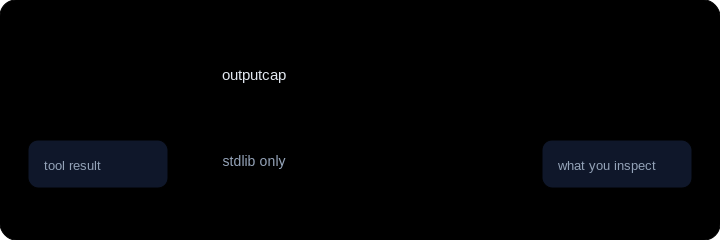
The note is a single line, so a model reading the preview knows the value was cut, how big it was, and where the rest is:
[output truncated: 812441 chars, showing the first 3200 and the last 799; full value at .agent/outputs/output-1a2b3c4d.txt]Rules
- Nothing is truncated below the budget;
capis a no-op when the value already fits. - A dict or list becomes indented JSON, because that is what a model reads best.
- With
directory, the full text is written once and the in-memory copy is dropped; without
it the value stays in capped.full and capped.read() still works.
slices()provides the ranges for a paging tool, with optional overlap so a match on a
boundary is not lost.
- The budget is in characters, not tokens: a token count needs the model's tokenizer,
which this library deliberately does not have.
Limits
- No compression, no summarising, no embedding: the full value is kept verbatim and read
back verbatim. A summary would lose exactly the detail a follow-up needs.
- A budget below 16 characters drops the tail, because a separator costs more than it
saves.
- Files are written with a random name unless you pass
name=; nothing cleans the
directory up, that is your run's job.
Development
consolepython -m venv .venv
.venv/bin/pip install -e ".[test]"
.venv/bin/pytest
The suite covers every line of the package (pytest --cov --cov-branch), and the examples in the docstrings run as tests through --doctest-modules.
License
MIT.
Other libraries here
One problem each, standard library only, no runtime dependencies.
- argrepair — turn a bad tool call into a message the model can act on
- backoff-headers — turn a rate-limit header into the exact time to wait
- columncheck — find the CSV defect before the pipeline does
- dir-digest — one hash for a directory tree, identical on every OS
- docanchor — catch every broken heading anchor in your docs
- envfile-diff — diff two .env files without printing the secrets
- fsync-replace — replace a file so a crash cannot leave it half-written
- header-date — HTTP dates parsed strictly, formatted correctly
- junit-merge — merge JUnit XML from every job into one honest report
- npm-semver — npm semver ranges, parsed the way npm parses them
- parse-size — byte sizes in and out, MB and MiB never confused
- path-containment — keep untrusted paths inside their directory
- redactscope — stop secrets in tool results before they reach the model
- runbudget — a per-run cost cap that warns before it stops
- testflakes — rank your flaky tests from the history you already have
- tool-loop-guard — catch an agent repeating itself while it is still cheap
- toolcall-ledger — a hash-chained record of every tool call
- toolcircuit — stop retrying a tool that is down
- toolquota — client-side rate limits your agent loop can wait on
- wheeldeps — read a wheel's dependencies offline, markers included
- zip-deterministic — byte-identical archives, build after build