ASTROLOGY EVIDENCE
LOCAL APP & RESEARCH · NOVEMBER 2026

Understand the reading.
Inspect the evidence.

A local astrology application built to separate calculations, source passages and interpretation. This guide explains what works, what was tested, and what still needs evidence before real-user launch.

Working local synthetic-data application. Real-user production gates remain open.

A reading you can question.

01

What was calculated?

Show chart positions, birth-time uncertainty and the exact calculation conventions. An AI model does not calculate the planets.

02

What does the source say?

Open a permitted passage with its work, translator, edition and page or verse. Keep the original, commentary and interpretation distinct.

03

What is being inferred?

Explain how a traditional rule might apply, including exceptions and disagreement. Missing evidence leads to a limited answer, not invented certainty.

A correct chart and a faithful citation do not establish that astrology predicts future events. The product must preserve that distinction.

One question. An inspectable path.

  1. Open & confirm inputs No sign-in: browser workspace, birth place and time precision
  2. Calculate the chart Versioned astronomical facts and settings
  3. Retrieve source passages Rights-cleared books, relevant rules and exceptions
  4. Explain & validate Bounded AI workflow; check claims and citations
  5. Read with context Facts, passages, interpretation and limitations

The implemented baseline

Python + FastAPI for the application · Jinja2 + small fetch enhancement + CSS for the UI · PostgreSQL for accounts and records · Qdrant and local embeddings for retrieval · LangChain / LangGraph for bounded generation · Swiss Ephemeris after a licensing decision.

Explore architecture diagrams ↗

Choose your depth.

You do not need to read everything in order. Start with the question you want answered.

Browse the specialist research by topic

A working local app.
Evidence still to earn.

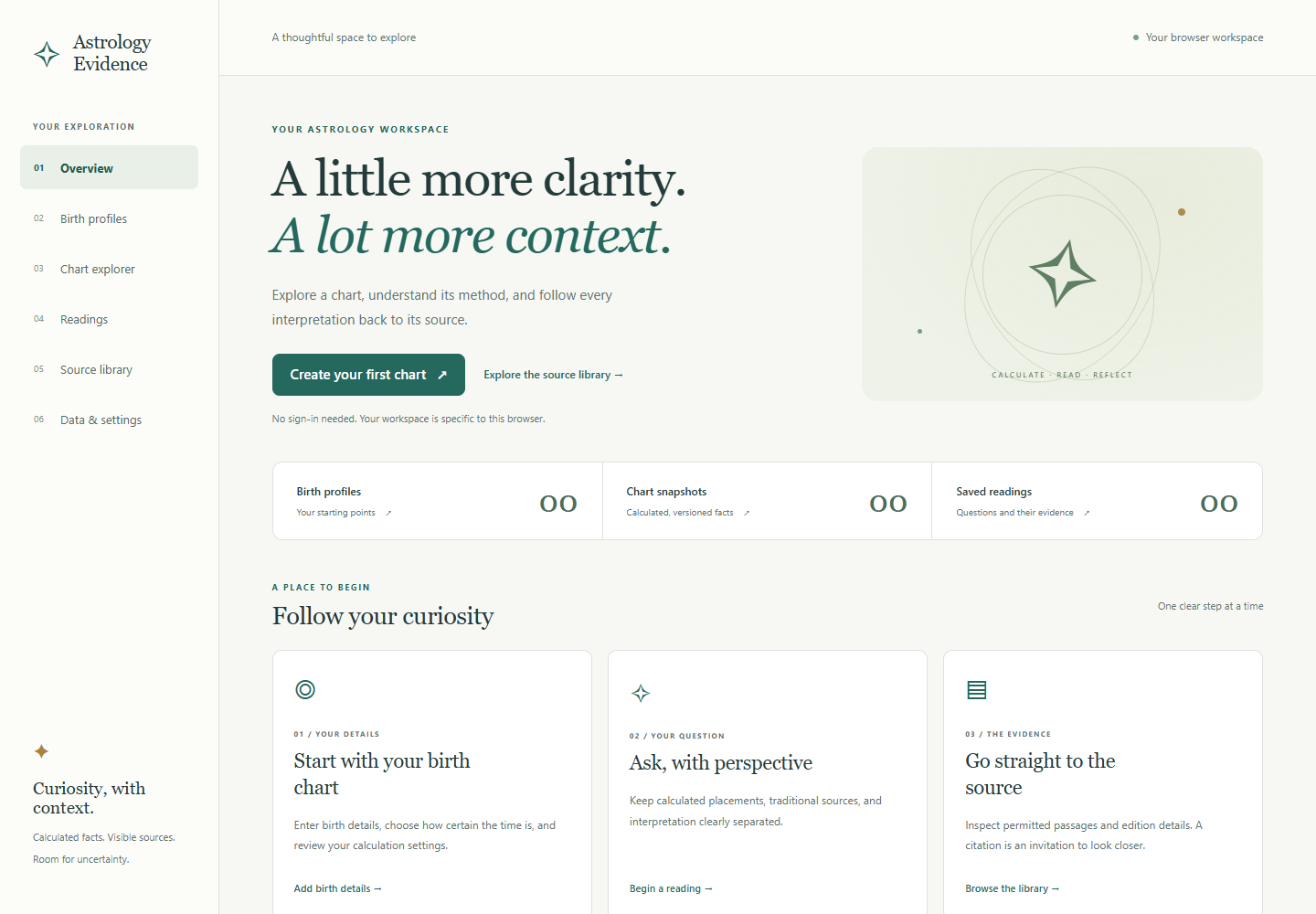
The refreshed Astrology Evidence overview with six sections, a calm light interface, and direct chart entry without sign-in.
The implemented browser workspace, shown with no saved personal records. Authentication is future scope.
IMPLEMENTED LOCALLY

Available in synthetic mode

  • Direct access with separate anonymous browser workspaces
  • Private profiles and deterministic chart calculations
  • Rights-gated Qdrant corpus search
  • Constrained source-excerpt reading workflow
  • Deletion, export, and source withdrawal jobs
  • Tests, CI, and local Docker/Compose configuration
NOT YET VALIDATED

Required before real users

  • Rights for the first 3–5 editions
  • Ephemeris license choice
  • Reviewed provider terms and replacement runtime secret
  • Anonymous-workspace privacy, abuse and operating review
  • Rights-cleared books and expert-reviewed rule registry
  • Independent chart reference and held-out quality results
  • Measured production host and restore drills

No real books have been ingested. AI and embeddings are disabled by default. Chart accuracy and retrieval quality have not been independently benchmarked. GitHub Pages hosts this guide, not the Python application.

Authentication is future scope. The app opens directly into Overview, Birth profiles, Chart explorer, Readings, Source library and Data & settings. Clearing cookies or session expiry loses workspace access; cross-device recovery is not implemented.

Open the local runbook ↗ · Implementation progress ↗

See it work.

Real browser recordings using invented inputs. No audio, external AI calls or licensed book content. Captions and written steps explain each journey. These demonstrate the local Python app; GitHub Pages hosts this guide and its recordings.

Desktop: chart to data controls

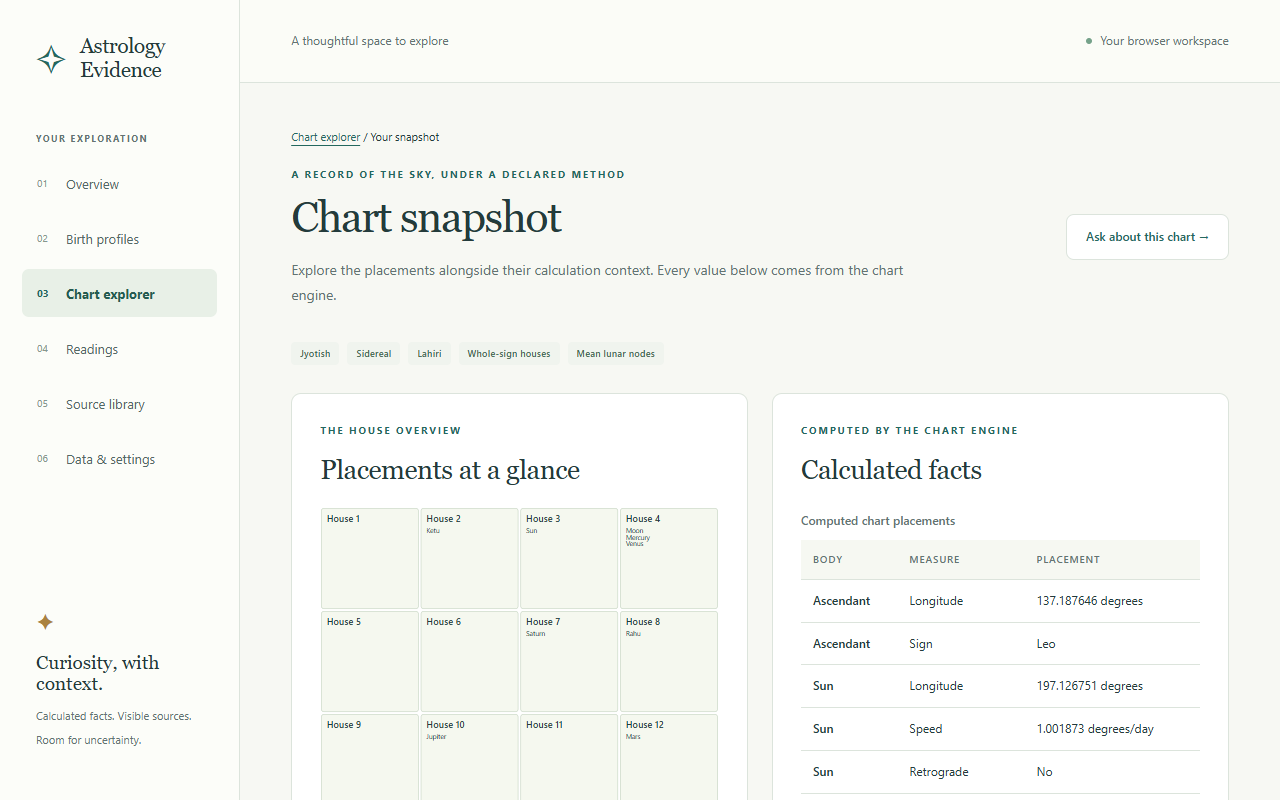
Download desktop video · Chart screenshot

Desktop steps and what passed
  1. Open a separate workspace without signing in.
  2. Enter an invented profile and choose the correct offset for a repeated local time.
  3. Calculate the native chart and ask against that exact snapshot.
  4. See an insufficient-evidence result and the library's unconfigured state.
  5. Complete an expiring export, then confirm workspace deletion.

Mobile: ordinary forms, JavaScript off

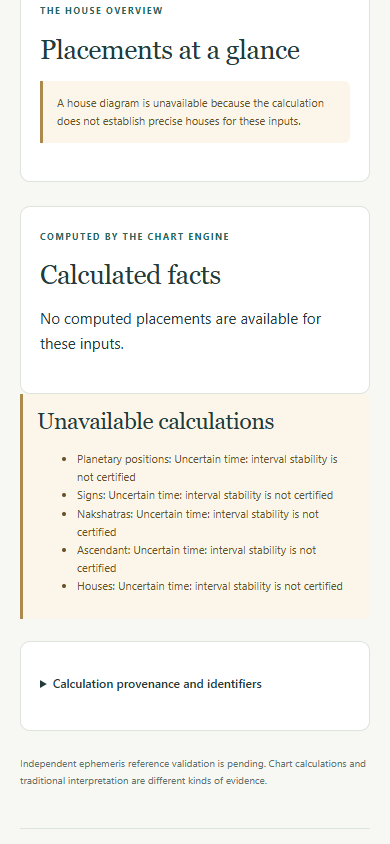
Download mobile video · Uncertainty screenshot

Mobile steps and what passed
  1. Open a 390px workspace with JavaScript disabled.
  2. Save invented birth inputs with an unknown time using ordinary forms.
  3. See precise calculations withheld, then ask a chart-bound question.
  4. Inspect source limitations, finish an export and confirm deletion.

GitHub Pages: the reading tour

Download guide video

Guide tour and test scope
  1. Open the published guide and follow its section navigation.
  2. Expand the research links and inspect the application preview.
  3. Read the launch gates and view the mobile layout.

The tour shows the guide before the recording section was added. The final deployed players, captions, files and links are checked separately.

Testing gives evidence, not a promise of 100% correctness. Read the end-to-end report for tested revisions, commands, results and remaining limits.

Small changes. Tests alongside them.

  1. Define one behavior. Keep each commit coherent and independently reviewable.
  2. Write a meaningful failing test. Then implement the smallest complete change.
  3. Test and review while building. Independent agents can inspect risky logic and test stable revisions in parallel.
  4. Verify the combined revision. Fix failures before dependent work; record commands and results.
  5. Earn release readiness. Documentation checks do not replace application, security or domain tests.
Read the commit and testing rules ↗

Run the local demo.
Review the release gates.

Use invented birth data and synthetic sources. Keep external AI disabled until content and provider reviews are complete.
Open the runbook ↗